Fuel Load Gridded Data
This guide demonstrates how to access fuel load gridded data using an FTP client. FileZilla is used as an example, but any FTP client will work.
Step 1: Connect to FTP Server (External public only)
Open FileZilla (or your preferred FTP client) and connect to the following server:
ftp://climate-scenarios.mft.derm.qld.gov.au
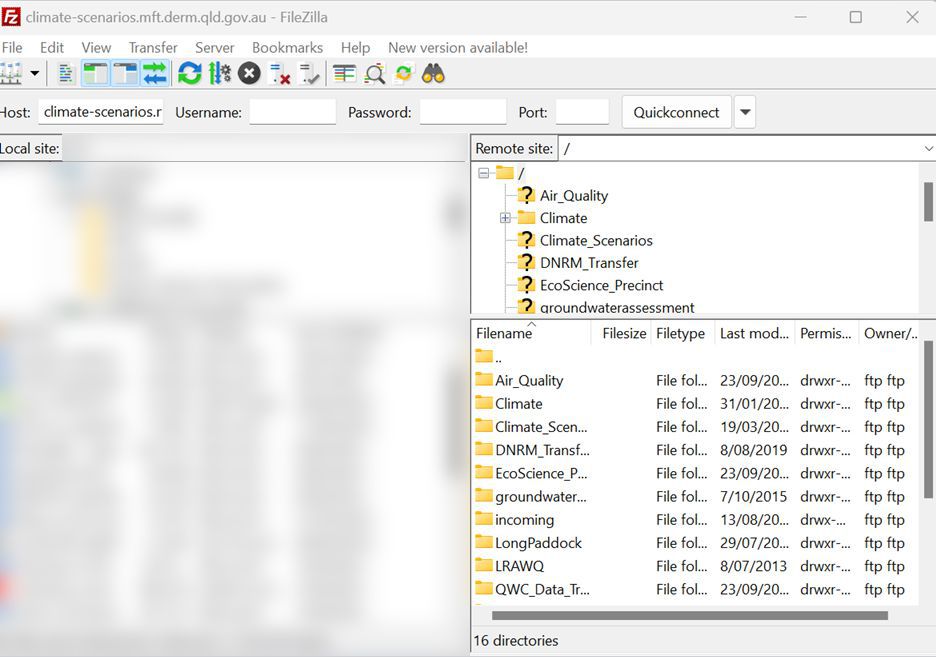
Step 2: Navigate Through Folders
Once connected, navigate through the following folder structure in order:
- Climate
- agrass
- a fire data folder (choose one based on your needs)
Available Fire Data Folders
- AUS_fire - Contains Imagine, NetCDF and Geotiff grids, GIF and PNG files
- QLD_fire - Queensland (Imagine and Geotiff grids, GIF and PNG files)
- NSW_fire - New South Wales (Imagine and Geotiff grids, GIF and PNG files)
- VIC_fire - Victoria (Imagine and Geotiff grids, GIF and PNG files)
- TAS_fire - Tasmania (Imagine and Geotiff grids, GIF and PNG files)
- NT_fire - Northern Territory (Imagine and Geotiff grids, GIF and PNG files)
- SA_fire - South Australia (Imagine and Geotiff grids, GIF and PNG files)
- WA_fire - Western Australia (Imagine and Geotiff grids, GIF and PNG files)
Example navigation path: Climate → agrass → AUS_fire
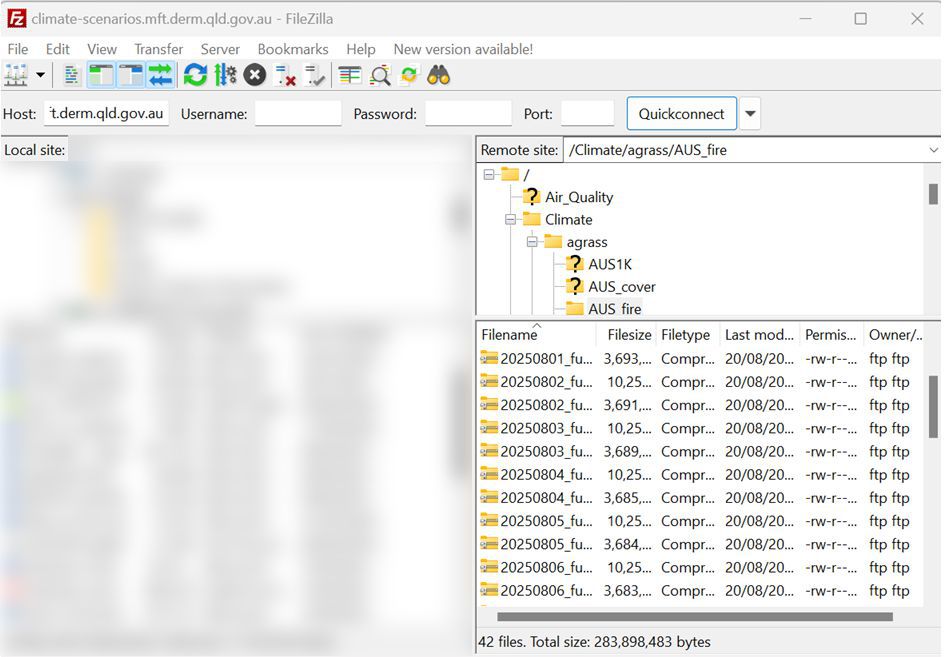
Understanding Fuel Load Data
AUS_fire contains both Imagine (.img) and NetCDF (.nc) daily grids. The state folders contain only Imagine grids.
The fuel load data includes the following components:
- greenpool: green leaf + stem
- deadpool: dead leaf + stem
- grasslitter: grass litter material
- treelitter: tree litter material
- curing: (deadpool / tsdm) * 100
where tsdm = greenpool + deadpool, excluding grasslitter and treelitter
For more detailed information about the AussieGRASS Fire Products and fuel load calculations, please refer to page 52 of the AussieGRASS Product Guide.
Optional Command-Line Access
You can also download files via command line tools if preferred.
Using wget
wget ftp://climate-scenarios.mft.derm.qld.gov.au/Climate/Agrass/AUS_fire/filename.img
Using curl
curl -O ftp://climate-scenarios.mft.derm.qld.gov.au/Climate/Agrass/AUS_fire/filename.img
Using lftp
lftp -u anonymous,ftp@example.com ftp://climate-scenarios.mft.derm.qld.gov.au
cd Climate/agrass/AUS_fire
ls
get filename.img
